MyFundedFutures platforms, 2026
Everything runs on either the Tradovate side or dxFeed, and four of the seven are on dxFeed. Two of the names are the same platform.
Knowing which side you are on explains the setup, the credentials and what breaks when something breaks. And no, there is no ProjectX. Read from their platform overview and every setup guide in the collection on 16 September 2026.
Weighing the alternatives? Phidias Express to Live is the account we build. First, the seven names and what is actually behind them.
What platforms does MyFundedFutures support?
Their overview lists seven: NinjaTrader, Tradovate, TradingView, Quantower, Volumetrica, DeepChart/DeepDom and ATAS.
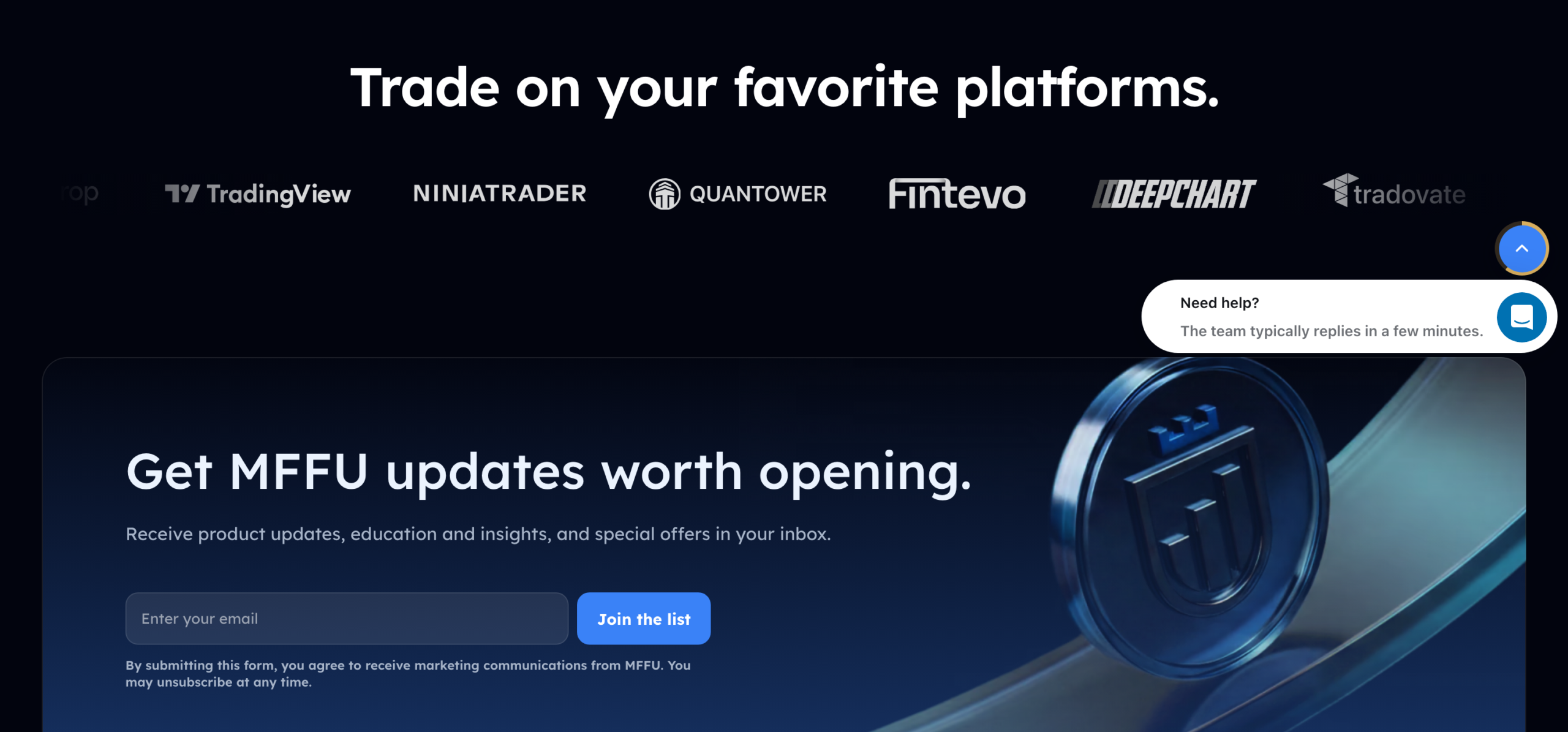
Seven names, but not seven independent products and not seven connections. Two of the names are the same platform family, and underneath everything there are only two ways in.
So the split is three on the Tradovate side and four on dxFeed, not the even split the list implies.
Two of the seven names are the same platform
This one takes thirty seconds to verify and explains a lot of confusion.
MyFundedFutures’ overview describes its DeepChart/DeepDom entry using completely different product names:
DeepChart/DeepDom: Recognized for its real-time volume data and market-depth insights, Volsys/Volbook is an essential resource for traders looking to gain an edge in their trading strategies.
MyFundedFutures, overview of supported platforms
That reads like an editorial slip until you open their Volumetrica article, which explains exactly what VolSys and VolBook are:
Volumetrica Trading Platforms, including desktop applications such as VolSys and VolBook, utilize dxFeed as their primary data source. The web-based version of Volumetrica also relies on dxFeed for its real-time data feed.
MyFundedFutures, introduction to Volumetrica
So DeepChart/DeepDom is MyFundedFutures’ label for the Volumetrica desktop stack. The DeepChart login guide uses the VolSys and VolBook names throughout, all the way to its closing line about VolSys and VolBook setup. It is not a stale name left in the text: it is the same product family listed twice under two labels. Seven entries on the platform page, six products underneath.
Volumetrica also gets more documentation than anything else in their range: six of the fifteen articles in the trading platforms collection are about it alone, covering workspaces, indicators, dashboards and a trading 101. If you want the most hand holding, that is where it is.
TradingView has two routes, not one
The documented trading method puts Tradovate underneath. Their guide for trading on TradingView opens with the instruction to log in to Tradovate via TradingView’s trading panel, and sends you to the Tradovate login guide if that step fails.
But their dashboard article describes a second, separate route:
Tradingview: Traders who select the Volumetric platform (dxFeed) will have access to Tradingview directly from your dashboard with access to live-time trading data.
MyFundedFutures, navigating your dashboard
So which TradingView you get depends on which platform you chose. Pick Tradovate and you reach TradingView through Tradovate’s trading panel. Pick the Volumetrica dxFeed platform and TradingView is available from the dashboard on the dxFeed side. Neither article mentions the other, which is why most write ups only describe one of them.
Their TradingView guide is unusually good on the mechanics, incidentally. It recommends the long and short position tool as the entry method, especially if you intend to use limit orders, and warns that the quick buy and sell buttons market you in with no stop loss or take profit attached.
Does NinjaTrader go through Tradovate? Their documents disagree
Worth flagging because the answer decides who to contact when something breaks.
The NinjaTrader login guide never mentions Tradovate. It sends you to account.ninjatrader.com, has you add the NinjaTrader connection and sign in with your MFFU credentials. On that document, NinjaTrader is its own broker connection.
Their article on connecting to platforms says otherwise. It groups “TradingView, Tradovate, and NinjaTrader” under one heading and then gives Tradovate steps for all three.
We think the grouping is about the data agreement rather than the login path. That connection article is specifically about signing the live market data agreement, which is a Tradovate step, so the three being listed together probably means they share a data agreement rather than a broker. But that is our reading, not their statement, and the two pages do contradict each other on the surface. If NinjaTrader will not connect, the login guide is the one to follow.
The dxFeed side, and the platform that needs a licence
Quantower, ATAS, Volumetrica and DeepChart/DeepDom all connect through dxFeed, and each says so in its own setup guide: Quantower has you click dxFeed to open the connections window, ATAS has you select “dxFeed prop” as the data provider, and DeepChart sends you to the dxFeed web platform.
Where the credentials come from varies more than you would expect. Quantower’s arrive by email from MyFundedFutures. ATAS uses your MFFU dashboard credentials for the data connection, plus a separate ATAS password. DeepChart uses emailed credentials for the dxFeed web login, then dashboard credentials for the desktop app.
ATAS is the only one that needs a licence from the software vendor. MyFundedFutures’ guide says you must register with ATAS yourself to obtain the platform licence, and that ATAS will email you your platform password. It is not the only platform with a second account to create, since DeepChart also requires a dxFeed registration and signed platform agreements before you can download anything. But it is the only one where the vendor licences the software to you directly.
Does MyFundedFutures support ProjectX?
No. We checked the platform overview, the connection guide, every setup article and the full fifteen article trading platforms collection. ProjectX appears nowhere in MyFundedFutures’ documentation.
The question gets asked enough that Google suggests “myfundedfutures projectx” on its own, which usually means a competitor’s setup has become a habit. The answer is a plain no, and anyone telling you otherwise has not looked.
If you want something in their range with a comparable desktop order flow feel, the dxFeed side is where to look: Volumetrica, Quantower and ATAS are all desktop installs.
Which platform suits you? Four questions on what you want from a platform, how you feel about installing software, where you are coming from and how much setup time you will accept. No email.
30-second check
Which MyFundedFutures platform suits you?
Two more are coming, and both are theirs
Since September their homepage logo strip and their footer carry two names that are not in the list above: Fintevo and Hyperprop. Neither is a third party platform they have added. Both are MyFundedFutures products, and neither has launched.
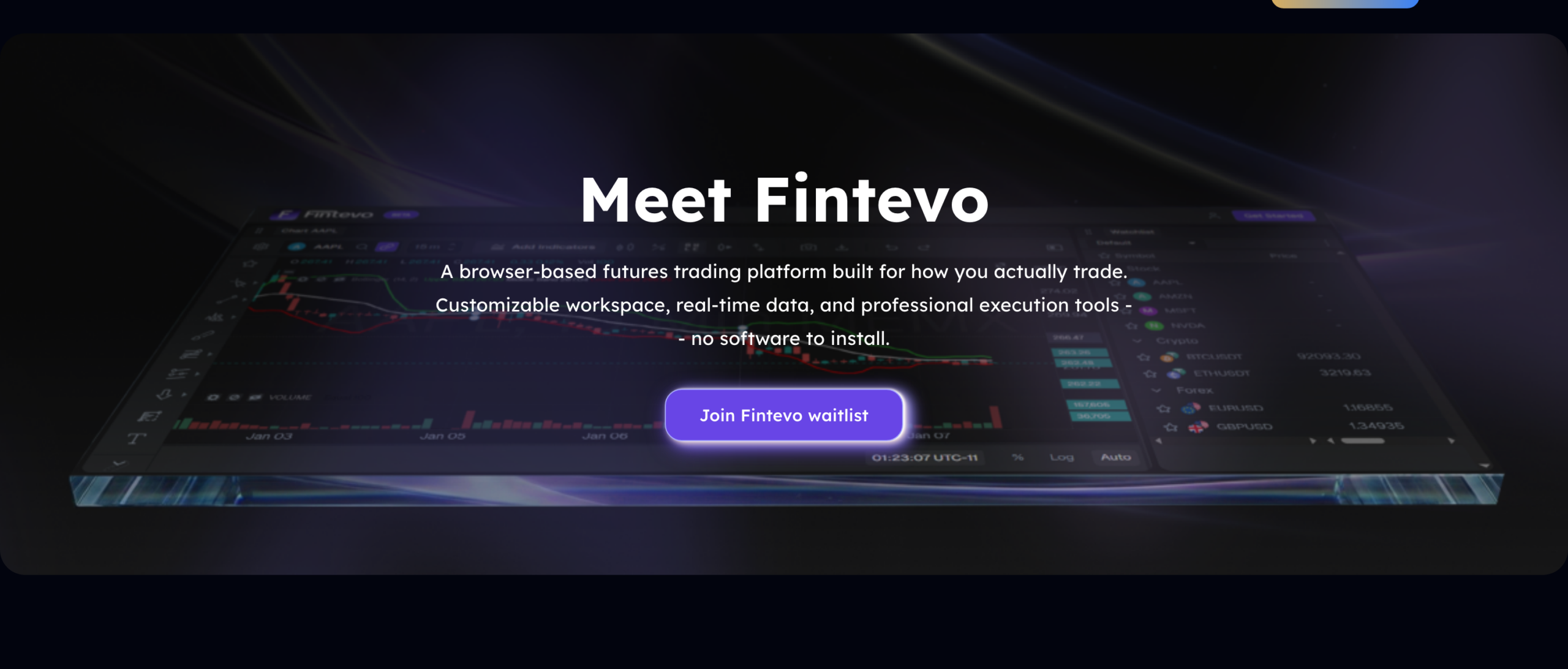
Fintevo is a browser based futures platform. Their words: a customizable workspace, real time data and professional execution tools, with no software to install, and integration that lets you launch trades from an MFFU account. A real time news feed and an economic calendar are listed as coming soon.
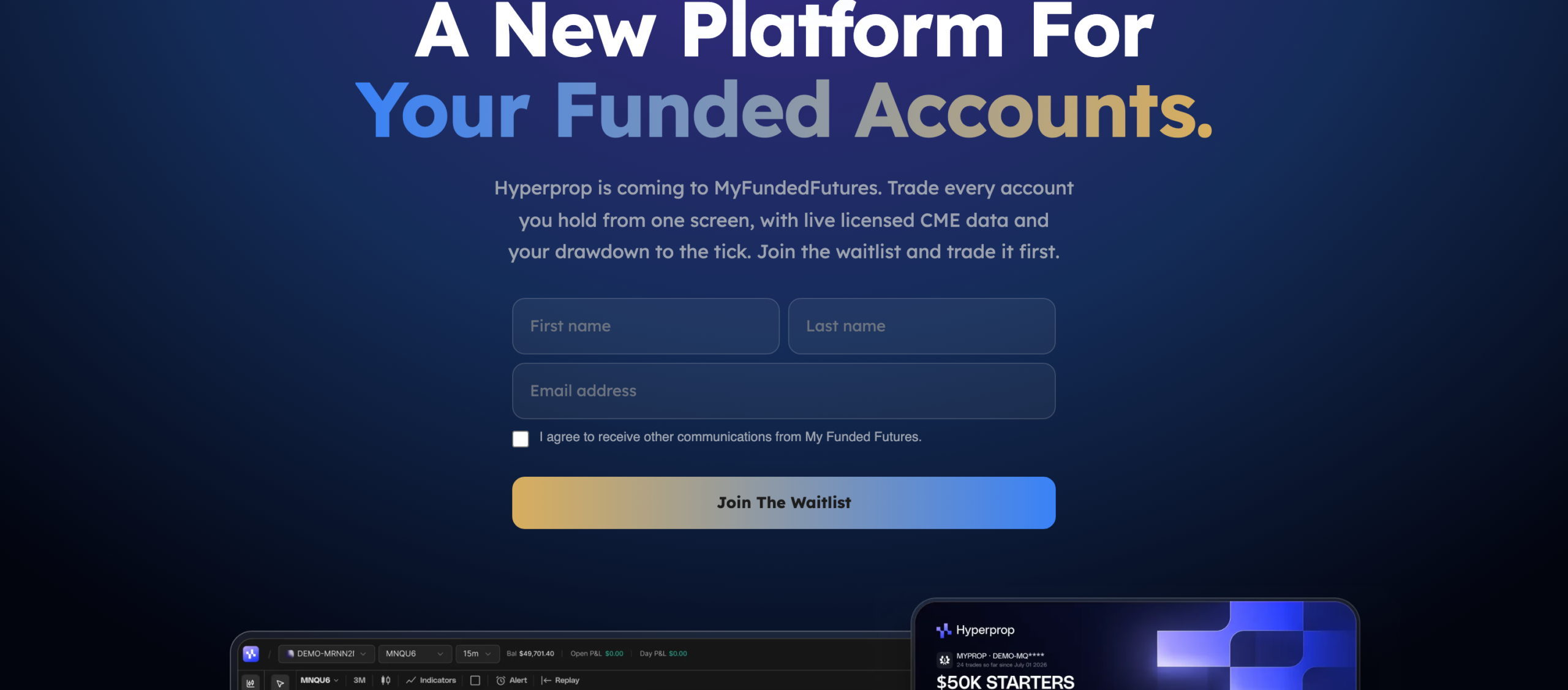
Hyperprop is aimed squarely at funded traders. It puts every account you hold on one screen, runs on live licensed CME data, and shows your trailing drawdown and evaluation progress on the trading screen rather than after the session. Their phrasing for it is “rules before you break them”.
Both pages are waitlist forms, not product pages. You cannot pick either one today, and neither appears in their help center: searching it for Fintevo returns zero results, and their Overview of Supported Platforms article still lists the same seven names. So treat these as announced, not available. Hyperprop is the one to watch, because it attacks the problem this whole series keeps running into: on most firms you discover where your drawdown stands after the damage, not while you are trading.
What the platforms cost
Nothing is published for the evaluation or the sim funded stage. You pick a platform from the dashboard, you log in, you trade. No platform charge appears in any setup guide at those stages.
The live funded account is a different matter, and MyFundedFutures states it without hedging:
As a live trader, you are responsible for covering the associated costs of the Live Funded Account. These costs include: CME Professional Data Subscription, Round-Trip Commissions and Fees, Platform License or Subscription. All costs will be deducted directly from your Live Funded Account balance.
MyFundedFutures, understanding the live funded account
Read the first item carefully. It is the professional CME data subscription, not the non professional rate most retail traders pay, and the gap between the two is not small. On the live side you can add or remove exchanges at any time with the fees coming out of your balance, though their FAQ asks you to go through Live Support rather than adding data yourself.
So the honest summary on cost: platforms are free while the money is simulated, and billed to you once it is not. That is defensible, and it is the opposite of how most people assume it works.
Where we differ
Seven entries is a genuinely good range, and wider than most firms in this sector offer. Nobody should pick a prop firm on platform count, but nobody should be forced onto software they dislike either, and MyFundedFutures does not do that.
Phidias runs Tradovate, NinjaTrader, TradingView, Rithmic and DeepCharts, the last powered by the Volumetrica data feed rather than being a separate product. Two fewer names on the list, and one fewer thing to work out: we treat DeepCharts and Volumetrica as one choice because that is what they are, which is the distinction MyFundedFutures’ own overview blurs by listing both.
The difference that costs money is the data, and the scope matters more than the number. The fees apply only to accounts on the NinjaTrader and Tradovate broker path, which are the same path at Phidias. On a live account there, the CME feed is debited from the start, and other exchanges such as CBOT, COMEX and NYMEX are optional at $156 a month each, charged by NinjaTrader rather than by us and subscribed by the trader from their dashboard. On Rithmic and dxFeed there are no feed fees at all. It is published on our rules page in all three languages rather than left to be discovered.
And the destination matters more than the software: the simulated stage at Phidias leads to a LIVE account, which is where real capital enters the picture, and the only stage at which the money stops being simulated.
See Phidias accounts and pricing
MyFundedFutures platforms: frequently asked questions
What platforms does MyFundedFutures support?
Their overview lists seven: NinjaTrader, Tradovate, TradingView, Quantower, Volumetrica, DeepChart/DeepDom and ATAS. Two of those names are the same product family, since VolSys and VolBook are Volumetrica’s own desktop applications and that is what the DeepChart/DeepDom entry describes. Underneath, everything runs on one of two connections: the Tradovate side or dxFeed.
Does MyFundedFutures support ProjectX?
No. ProjectX appears nowhere in MyFundedFutures’ documentation: not in the platform overview, not in the connection guide, not in any setup article, and nowhere in the fifteen article trading platforms collection. The question is asked often enough that Google suggests it on its own, but the answer is that it is not one of their platforms.
Which MyFundedFutures platforms use dxFeed?
Quantower, ATAS, Volumetrica and DeepChart/DeepDom. MyFundedFutures states it directly for Volumetrica: its platforms, including the VolSys and VolBook desktop applications, use dxFeed as their primary data source, and so does the web version. Quantower asks you to click dxFeed to connect and ATAS asks you to select “dxFeed prop” as the data provider.
Can you use TradingView with MyFundedFutures?
Yes, and there are two routes rather than one. The documented trading method has you log in to Tradovate through TradingView’s trading panel, so you are trading a Tradovate account behind TradingView charts. Separately, their dashboard guide says traders who selected the Volumetrica dxFeed platform get TradingView access directly from the dashboard. Which route you are on depends on the platform you picked.
Does NinjaTrader go through Tradovate at MyFundedFutures?
Their own documents disagree. The NinjaTrader login guide never mentions Tradovate: you go to account.ninjatrader.com, add the NinjaTrader connection and sign in with your MFFU credentials. But their article on connecting to platforms groups TradingView, Tradovate and NinjaTrader together and then gives Tradovate steps for all three. That article is about signing the live market data agreement, which is the likeliest explanation for the grouping.
Does MyFundedFutures charge for platforms?
Nothing is published for the evaluation or the sim funded stage. On a live funded account they state it plainly: you are responsible for the CME professional data subscription, round trip commissions and fees, and a platform licence or subscription, all deducted directly from your live account balance.
Do you need a licence to use ATAS with MyFundedFutures?
Yes, and you obtain it yourself. Their guide says you must register with ATAS to get the platform licence, and that ATAS will email you your platform password. It is the only platform in their range that needs a licence from the software vendor, though DeepChart also requires a dxFeed registration and signed platform agreements, so it is not the only one with a second account to create.
How do you change platform on MyFundedFutures?
From your MFFU dashboard, which carries a Downloads button for the desktop platforms and a Platforms button for DeepChart, while Volumetrica has its own Login to Volumetrica button. Your MFFU credentials sit on the same dashboard. Note that some platforms need a second set of credentials that arrive by email, so switching is not always instant.
What is DeepChart/DeepDom on MyFundedFutures?
It is MyFundedFutures’ label for the Volumetrica desktop stack. Their overview describes the entry using the names VolSys and VolBook, and the login guide uses those names throughout, which makes sense once you know that VolSys and VolBook are Volumetrica’s desktop applications. You reach it through the dxFeed web platform with credentials MyFundedFutures emails you.
Which platforms does Phidias support?
Tradovate, NinjaTrader, TradingView, Rithmic and DeepCharts, the last running on the Volumetrica data feed rather than being a separate product. On data fees the scope matters: only accounts on the NinjaTrader and Tradovate broker path pay them, with the CME feed debited from the start of a live account and other exchanges optional at $156 a month each, charged by NinjaTrader. On Rithmic and dxFeed there are no feed fees at all.
More on MyFundedFutures
· The four plans compared: one evaluation, four different afterwards.
· What MyFundedFutures really costs: the live fees in full, platform licence included.
· The trading rules: what breaches an account, platform quirks included.
· The scaling plan: how many contracts each platform will actually let you send.
· MyFundedFutures review 2026: the full breakdown.
Useful resources
About the author
William G. is CMO at Phidias Propfirm. He writes the firm’s competitor analyses from primary sources: help centers, terms of service and published policies, never aggregators. The platform list, the two connection backends and the ATAS licence step were all read on 16 September 2026 from MyFundedFutures’ own platform overview, their connection and dashboard guides, and every setup article in the collection, one at a time. Where two of their documents disagree, as they do on whether NinjaTrader routes through Tradovate, this page quotes both and says which reading it follows rather than flattening the conflict.